Study management platform
Import, classify, store, share, archive and control studies across users, teams and organizations.
Explore SecurePACS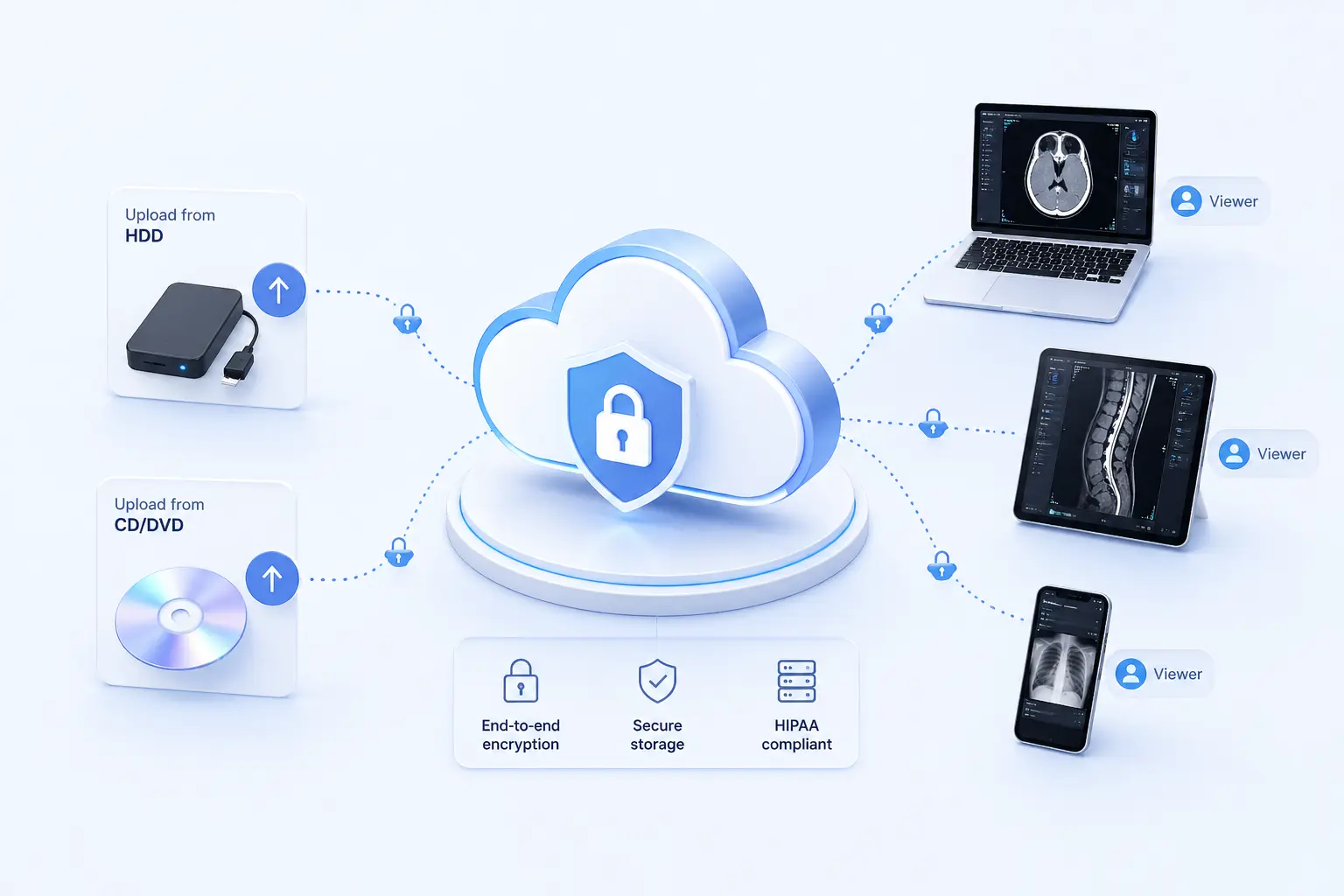
Cloud, on premise and hybrid DICOM workflows
Store, view, share, route, transform and proxy DICOM studies across browser, mobile, PWA, cloud and on-premise deployments. Start with ready-made study workflows or arrange modules around your own clinical, research or infrastructure needs.
Start from the job
Choose the path that matches the work in front of you: view a study, share with a physician, manage a team or connect existing PACS infrastructure.
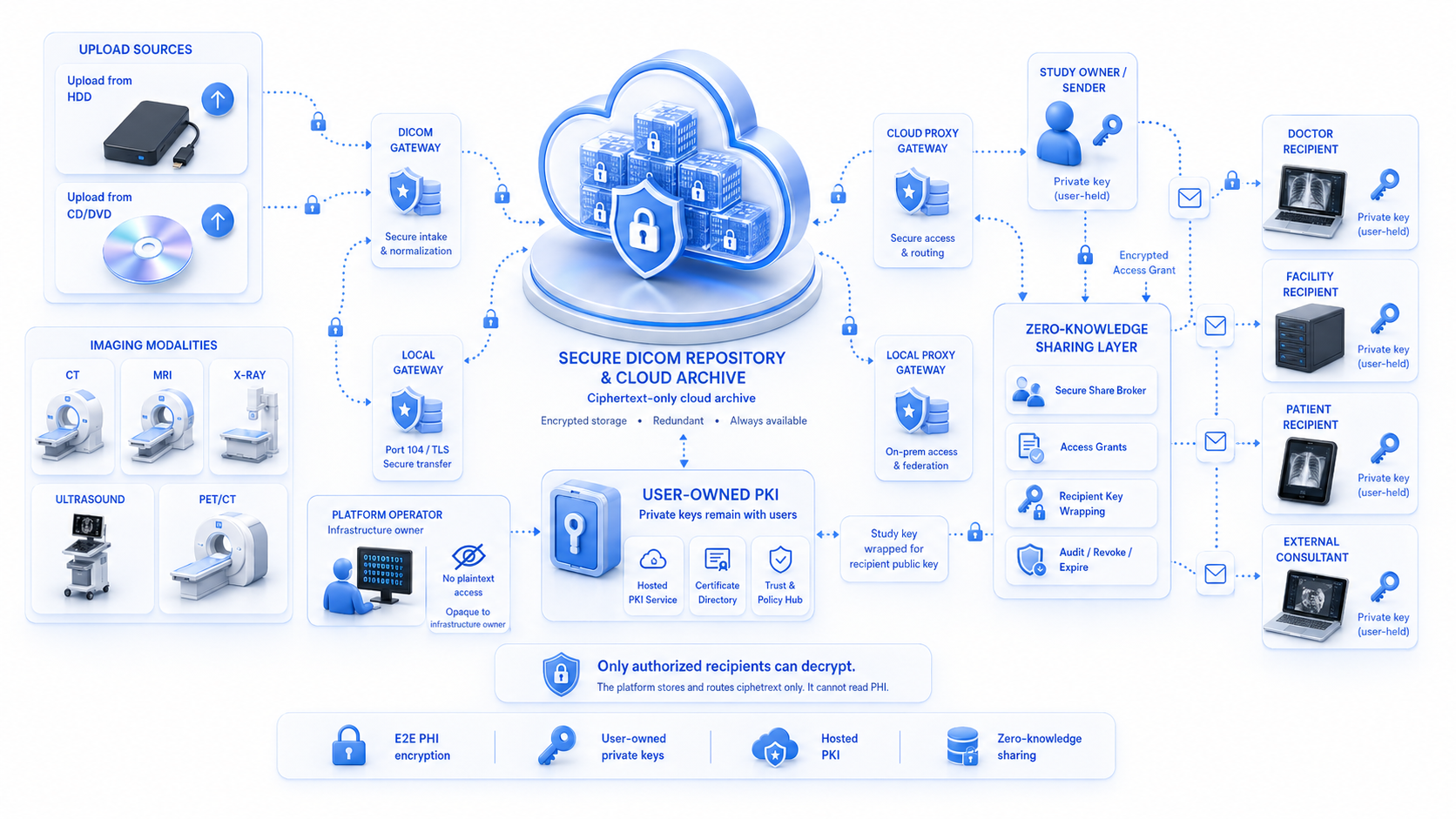
Study flow
Inputs, platform services and destinations stay visible as one connected workflow, whether the deployment is cloud, on premise or hybrid.
Product pillars
Viewer, study management and gateway components work together as one platform for clinical access and infrastructure connectivity.
Import, classify, store, share, archive and control studies across users, teams and organizations.
Explore SecurePACS
Zero-footprint browser viewing, PWA handoff, sample studies and mobile-connected review workflows.
Explore Viewer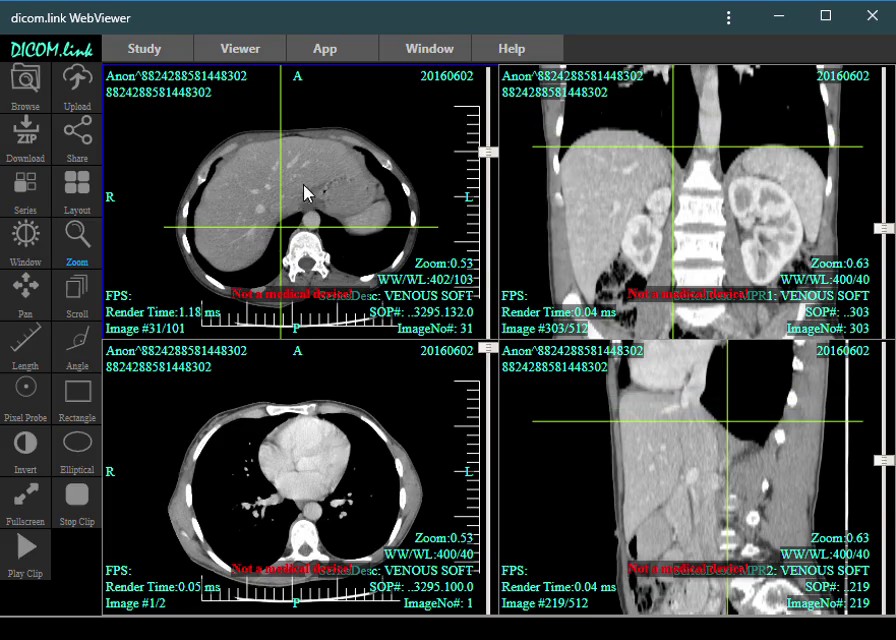
Connect existing PACS and modalities, bridge DICOMWeb and DIMSE, route by rules and automate infrastructure workflows.
Explore Gateway
100% browser-based de-identification. Process files entirely on your device with DCMTK and WebAssembly.
Start Anonymizing
Deployment model
Start with hosted workflows, install local components or combine both when storage, routing and access need different locations.
Hosted dicom.link services for fast setup, browser viewing, mobile access and managed study workflows.
Installable modules for clinics, labs and integrators who need local control over storage and connectivity.
Local proxy/router modules connected with cloud sharing, external collaborators, PWAs and native clients.
Security and ownership
Supported secure workflows combine encryption, client-side keys where implemented, controlled sharing and explicit responsibility for account and key recovery.
Supported secure workflows are designed so study content is encrypted between users.
Encrypted study content is designed to remain inaccessible to service operators where the end-to-end encrypted workflow is implemented.
Users remain responsible for account protection, private keys, recovery data and critical backups.
Organizations, teams, roles and permissions define who can access each study and where data can flow.
Modular architecture
Simple buyers can start with a ready path. Advanced teams can combine viewer, storage, proxy, router, ACL, mobile and transformation modules.
Service ready
Start with a service that fits the work in front of you: view a study immediately, anonymize for research, upgrade retention, manage a clinic or bridge your infrastructure.
Next step
Tell us whether the first need is viewer access, secure study storage, team collaboration, proxy/router connectivity or an on-premise deployment.